
Salary Slip / Check Stubs
The per employee record of earnings, deductions and net pay.
Overview
A Salary Slip (check stub) is generated for each employee and outlines their salary details for the pay period, earnings, deductions and net pay. It serves as the official pay record.
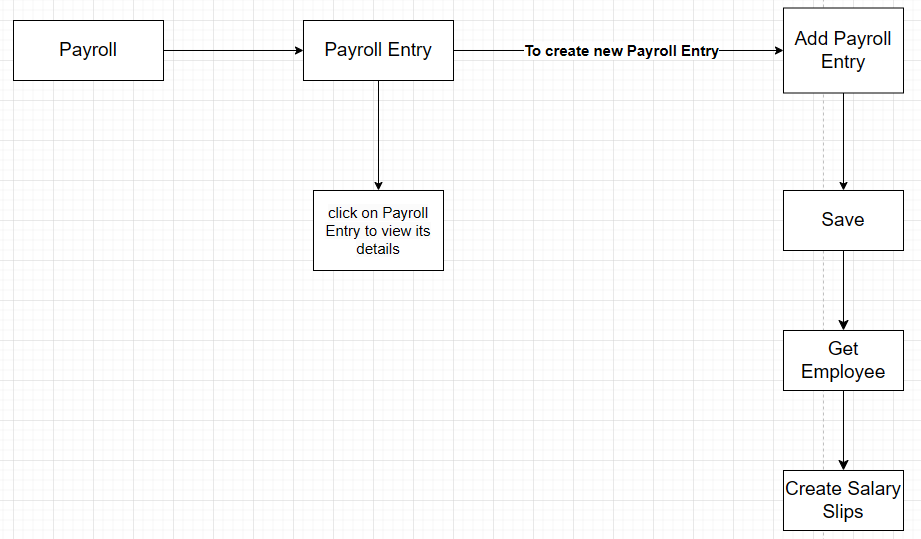 Salary Slip / check stub
Generate salary slips
Salary slips are generated from a Payroll Entry.
-
Go to Home → USA Payroll → Payroll Entry and open (or create) the entry for the period.
-
Click Get Employees to pull in the employees.
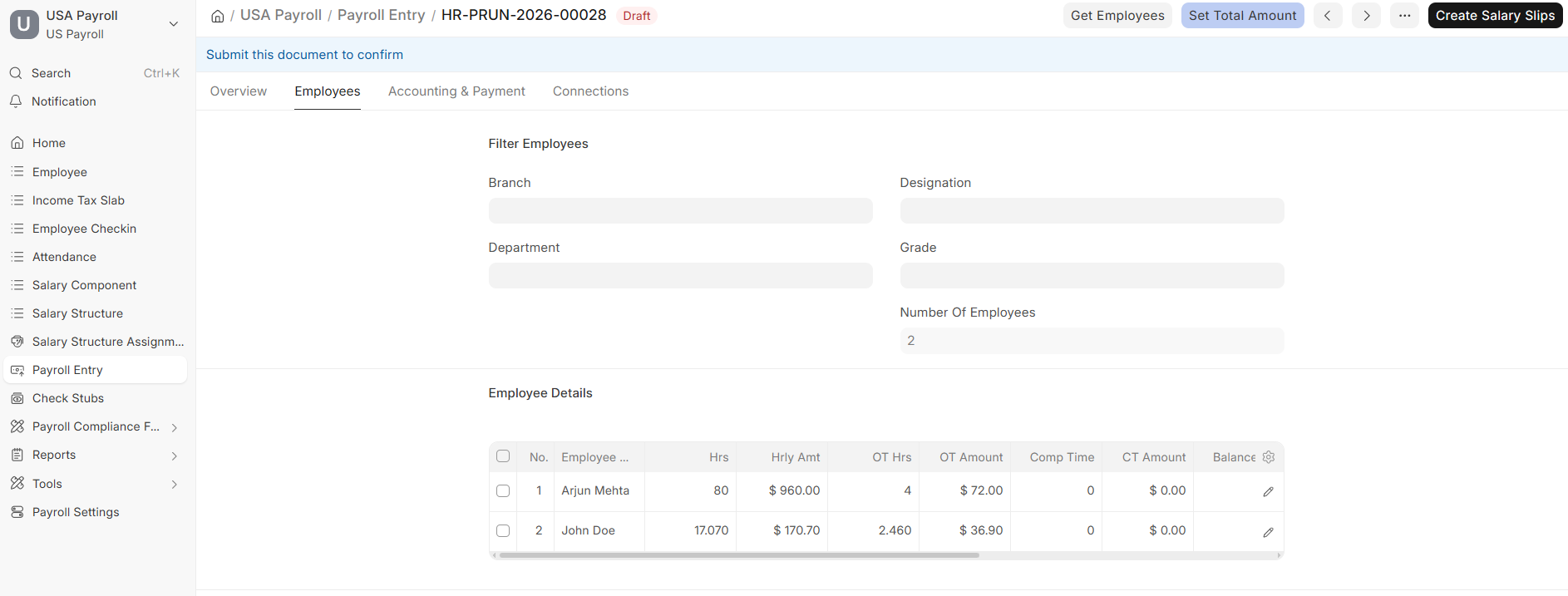 Create Salary Slips from the Payroll Entry
 -
Click Create Salary Slips.
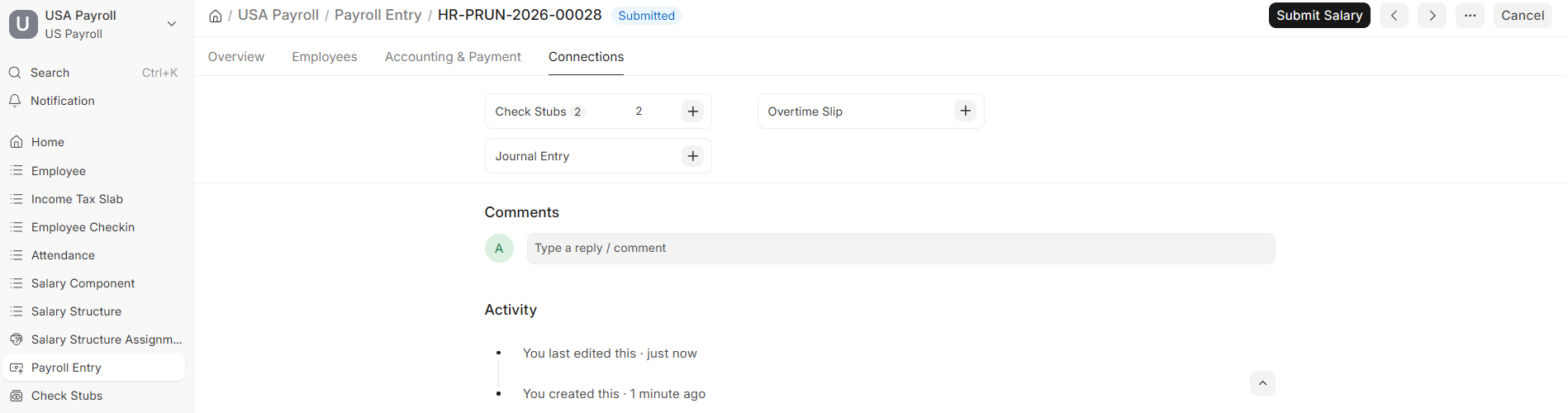 Generated salary slips, ready to submit
 -
Once the salary slips / check stubs are generated, click Submit.
Note: Submitting a salary slip finalizes the pay run for that employee and makes the amounts available for ACH and check payments.